
Protemos is a business management system offered for translation companies and freelance linguists (https://www.protemos.com/). It is available in the cloud or installed on servers. BeLazy offers a deep, comprehensive automation based on Protemos' APIs, and has a strong technical cooperation with the Protemos team.
Protemos offers clean and well-documented APIs, therefore the configuration is much simpler than that of other business management systems.
Configuration requirements:
API use:
- If you are a user of Protemos, you can readily use their APIs. Log in, go to Settings / Account, and you will find the API key there. You need this API key in BeLazy.
Workflows to appear in BeLazy:
- If you want to use a template to create job chains, you need to create a language-independent template. You also need to add a list of jobs to the template, and in the template description, enter the name of the jobs, separated by commas, such as "Translation, Editing".
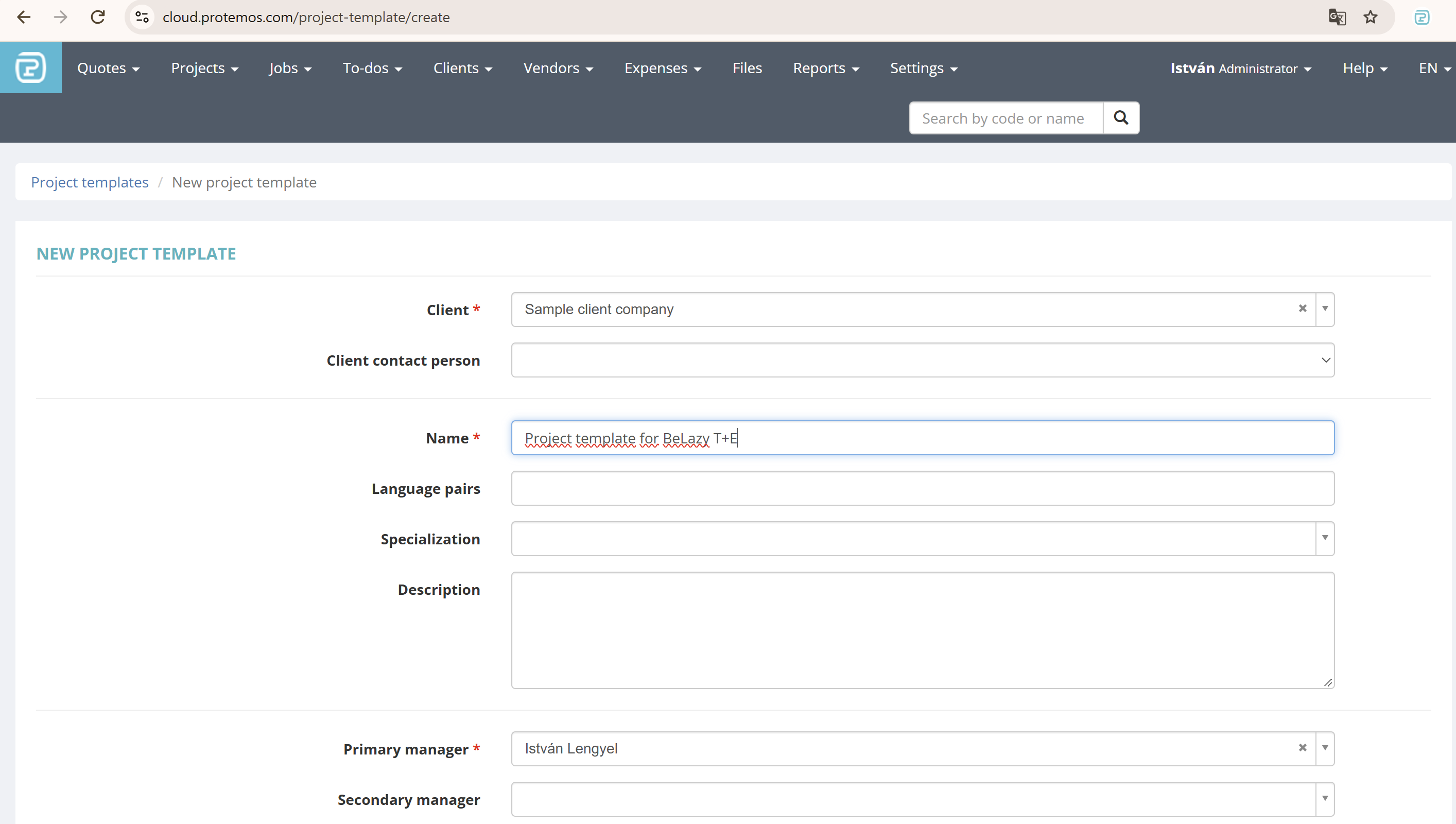
- First, create a new project template. To keep things simple, only fill the required fields and save the new project template.
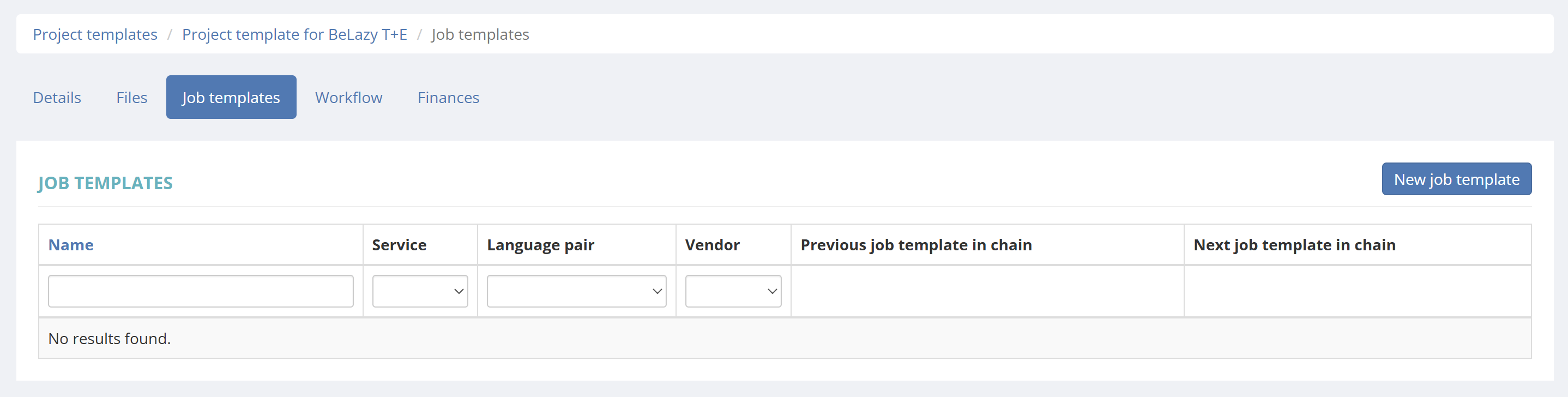
- Now navigate to the Job templates section of the newly created project template, and click on New job template:
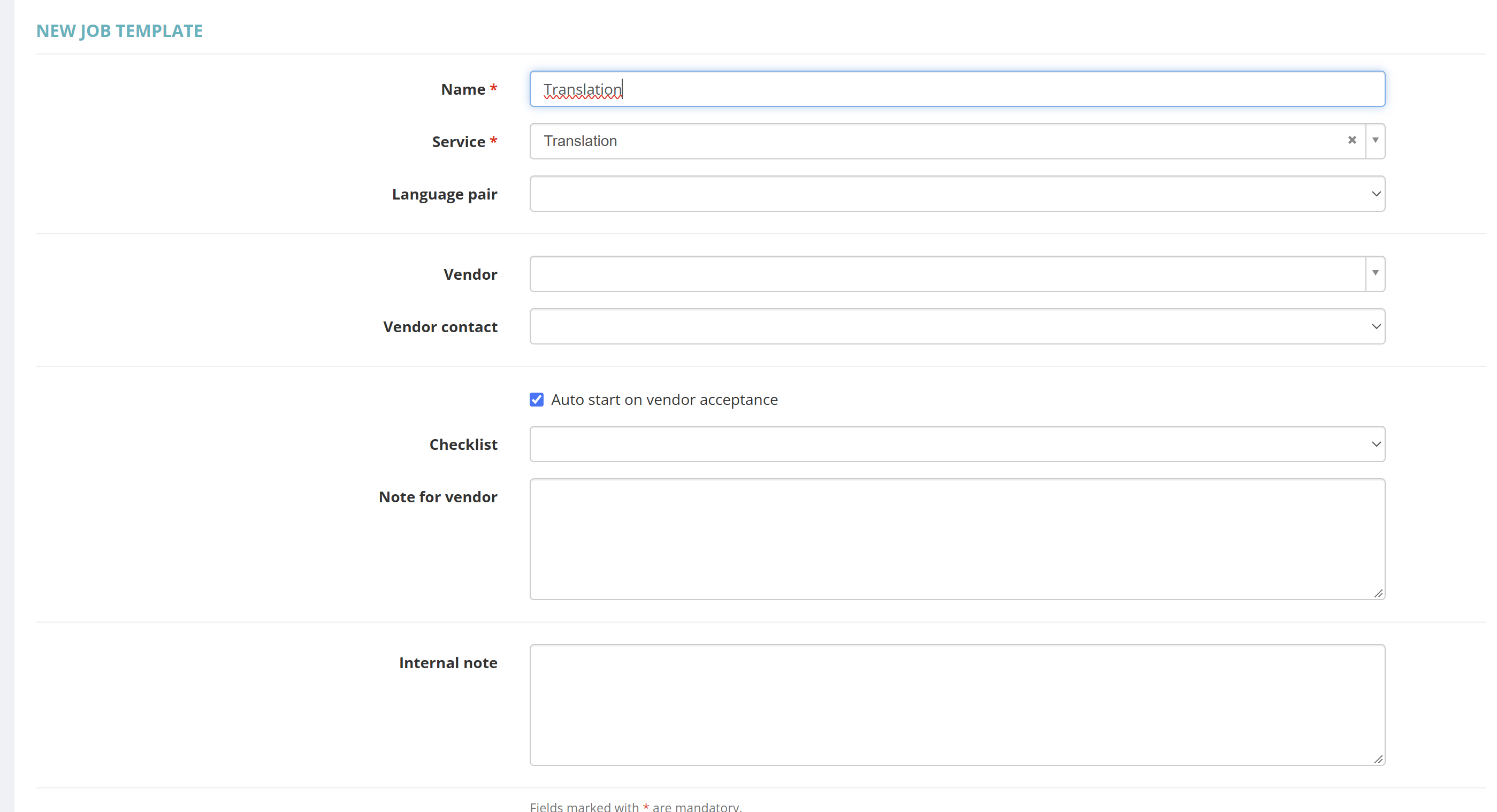
- Create the first step in the workflow, which in our case is Translation, by selecting the Service and naming the job identically to the service. Do not fill anything else, save the job.
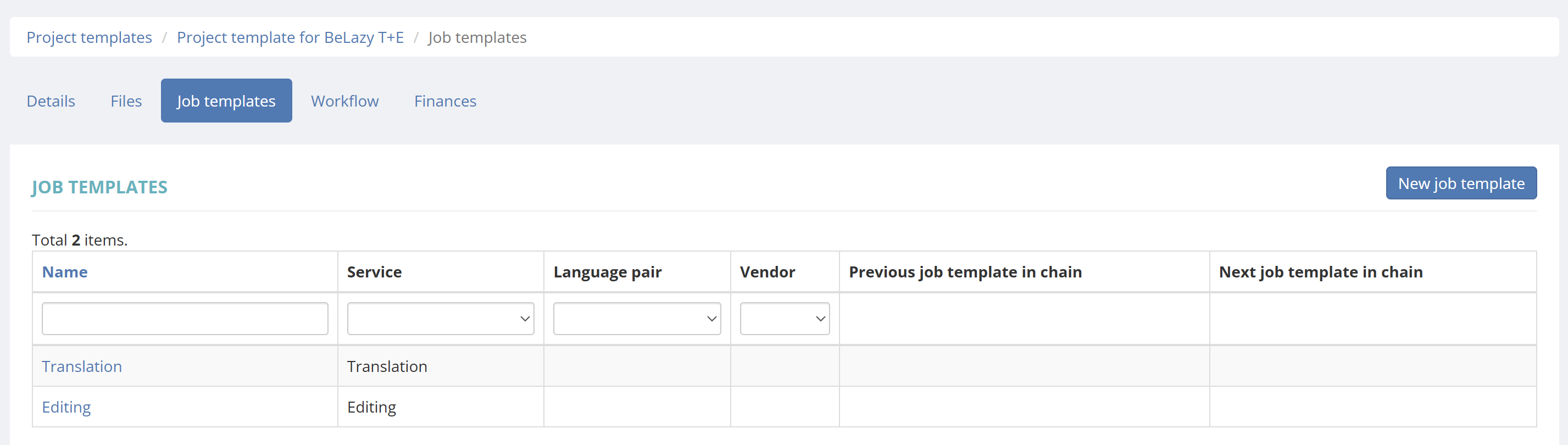
- Repeat the process for the second step and all other steps. In our case, it will be Editing, selecting the Service and naming the job identically. Save the new job and repeat this process with as many jobs as you need in the workflow to be.

- You will see the list of created jobs under Job templates.
- Now go back to the Details tab, and click on Update to update the project details. We will enter the list of jobs separated by comma in the Description field, and click Update. In our case, we need to enter "Translation, Editing" in the Description field.
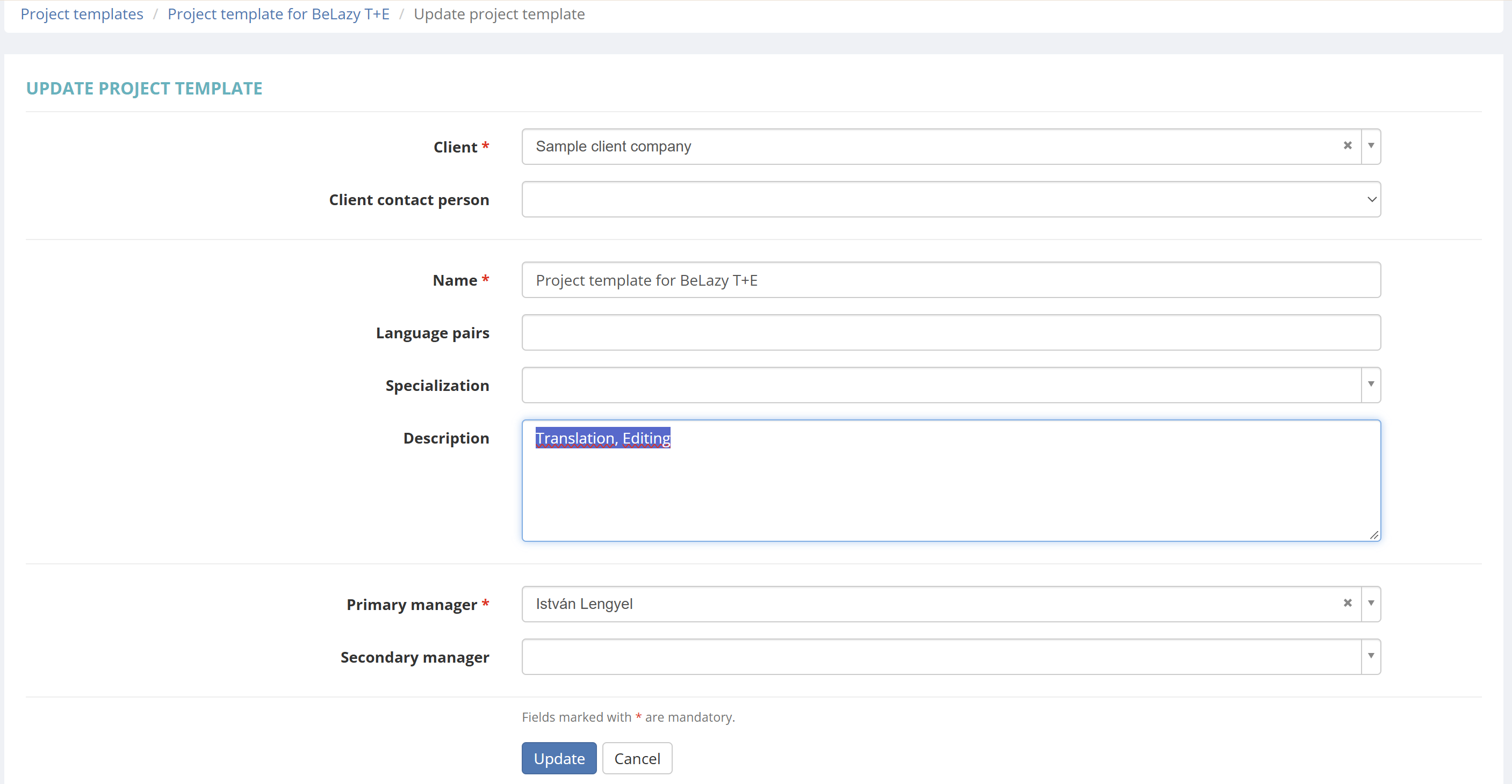
- The workflow is ready to be used. Only workflows that have the description's first line filled out with this information will appear in BeLazy.
CAT log conversion schemes:
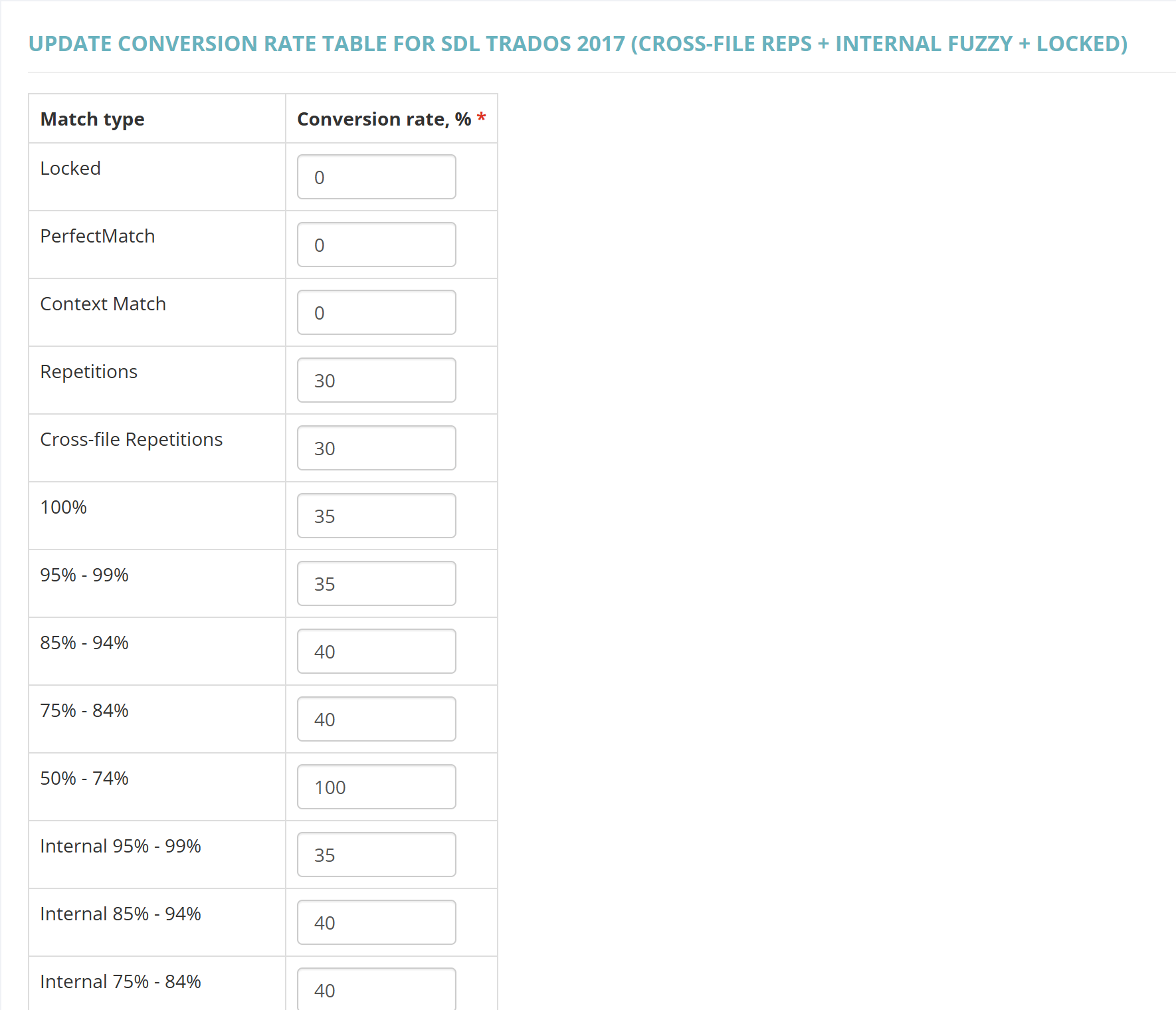
- Not only a client and a vendor but also a CAT log conversion scheme needs to be selected for the prices to be correctly selected. The CAT log conversion scheme is only important if there are no prices given in the connection. Regardless of the connection, you only need to fill the SDL Trados 2017 (cross-file reps + internal fuzzy + locked) CAT log conversion scheme, because BeLazy only uses this one. Select any CAT log conversion scheme or configure a new scheme here. Update the SDL Trados 2017 (cross-file reps + internal fuzzy + locked) category - BeLazy will ignore the values in any other category, even if the tool is not Trados, and use these weights:

- Update the conversion table as per your % needs:
Generic pricing:
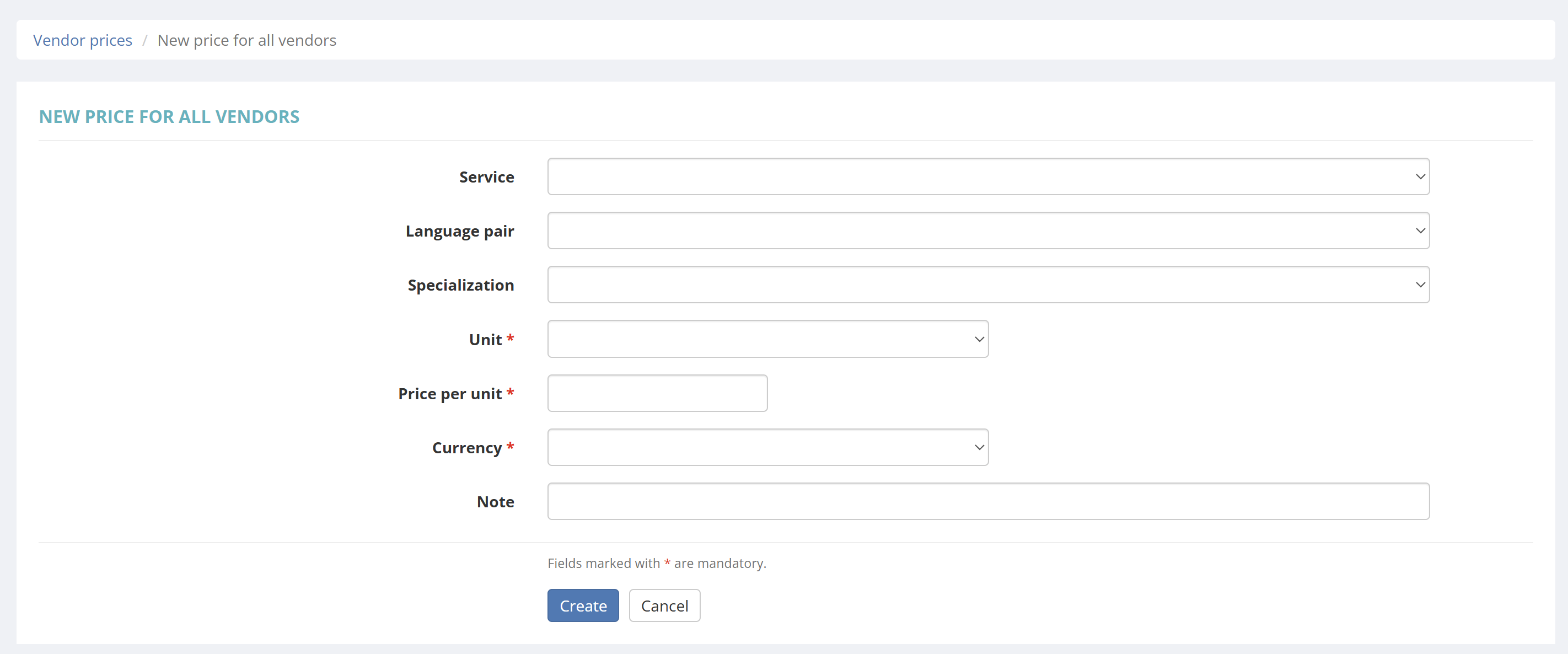
- In Protemos BeLazy can only create a vendor price - which it will later update - if there is a blank price it can use, without a vendor assigned. Go to the Vendor prices list, and enter a new price for all vendors. Only fill out Unit, Price per unit, and Currency. Put an unrealistically high price here, so that you can see if something goes wrong. You need to create one price for each currency-unit combination you work with. Without this, vendor prices will not be available in Protemos.
Expected URL format:
The URL is https://cloud.protemos.com.
Configuration:
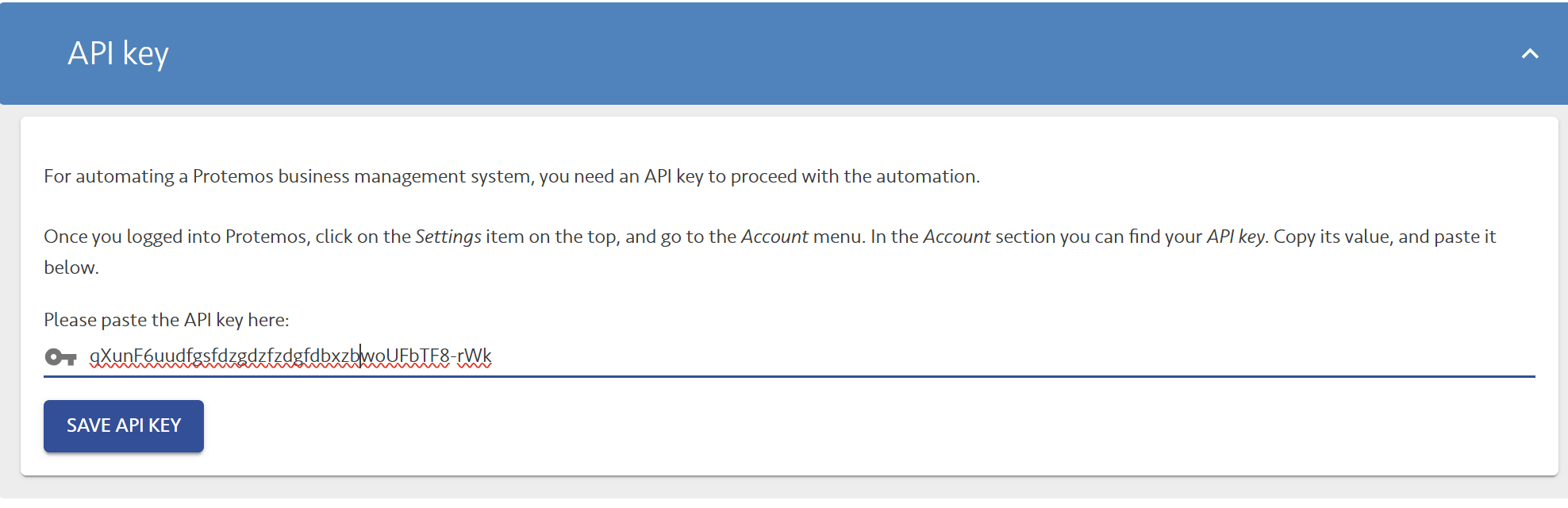
- Once you entered the URL of your business management system, you only need to enter the API key, and the connection is made.
- The only question in Protemos is which job status should trigger delivery and closing of the job in the origin system. You have two options: Completed (by vendor) and Completion accepted / rejected (by manager). For full automation we recommend only allowing vendor completion, and if you want to do quality assurance, set up a specific workflow step for that. This will allow you to also automate QA when the time comes. BeLazy does not endorse workflow steps where two people work on the same workflow step. Protemos supports both.
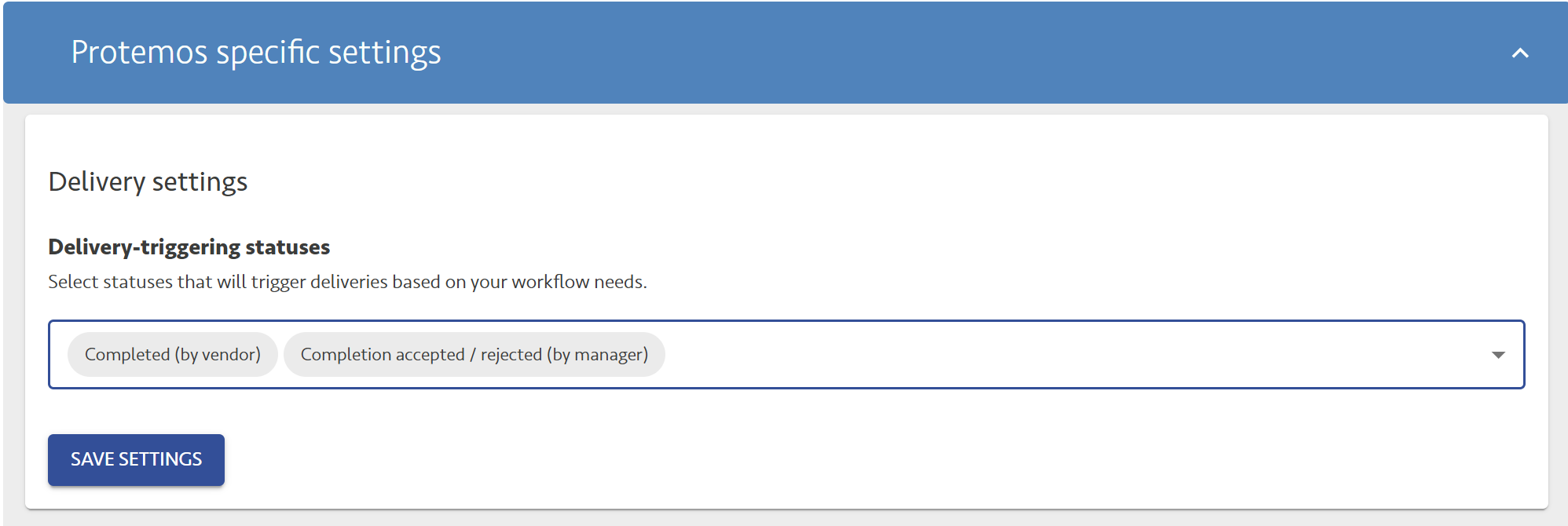
- The actual connection configuration goes through each and every step that maps data from the origin system to Protemos.
Functionality supported:
- All known project creation scenarios, including templates with job chains are supported
- Vendor reassignment is supported in both directions
- Project delivery and closing are supported in both directions
- Bundling of projects coming from the origin system in Protemos is supported
Functionality not supported:
- Files above 3 GB are not handled
Deliveries:
- Protemos offers files to be stored both under Job output and Project output, whereas BeLazy does not offer this distinction. BeLazy by default takes and delivers the job output files as partial delivery - as configured in the workflow definitions - except for the last block in the workflow, where project output files will be downloaded too.