
iLangL (https://ilangl.com/) is a content management system (CMS) middleware that directly integrates with BeLazy. iLangL provides support for a limited set of high-profile, complicated content management systems: web CMSes Optimizely, Sitecore and Drupal and headless CMSes Contentful and Contentstack. iLangL works with extensions that install a plugin directly in these CMSes, ensuring the best possible user experience, and can also fully automate regular updates.
Use cases:You or your customer use one or more of the iLangL supported content management systems and would like to automate the ordering and the management of translation and localization. Use this integration if one or more applies:
- You want to centralize all the work in BeLazy.
- You want to process the content in a TMS not supported by iLangL but supported by BeLazy.
- You want to introduce machine translation or LLM-based translations for such content, in a way that the same engines with the same configurations can also apply to other content coming from different sources.
- You want to process the content in your business management system, or want to enable a tracker for all your projects, both those coming from iLangL and from other sources (Plunet, XTRF, Protemos, Quahill, or any other integrated tool on the one hand, BeLazy's Google Sheet integration on the other hand).
- You want to use the TMS (CAT) integrations of your business management system (such as Plunet or XTRF).
Two routes:Besides integrating with BeLazy directly, where the translatable XML files and the project metainformation are transferred to BeLazy, iLangL also offers direct integrations into Phrase TMS and memoQ. BeLazy's automation capabilities support both routes. This article describes the direct integration route, which is preferred for BeLazy users and does not change the costs.
Requirements:
Only an iLangL subscription and a BeLazy subscription are necessary, the integration works in every situation. For requirements relating to the content management system for integration with iLangL, please refer to https://ilangl.com/integrations/.
Expected URL format:
The iLangL integration uses a BeLazy workspace, so no URL is needed.
Configuration:
- In BeLazy, you retrieve the API access token from the profile menu / API access tokens.
- In BeLazy, you create a workspace for iLangL. You can do this on the API, or on the user interface. Under Connections, click on Add, and on the Add workspace tab, enter the name of the workspace and optionally some tags that you would like to identify the workspace with.
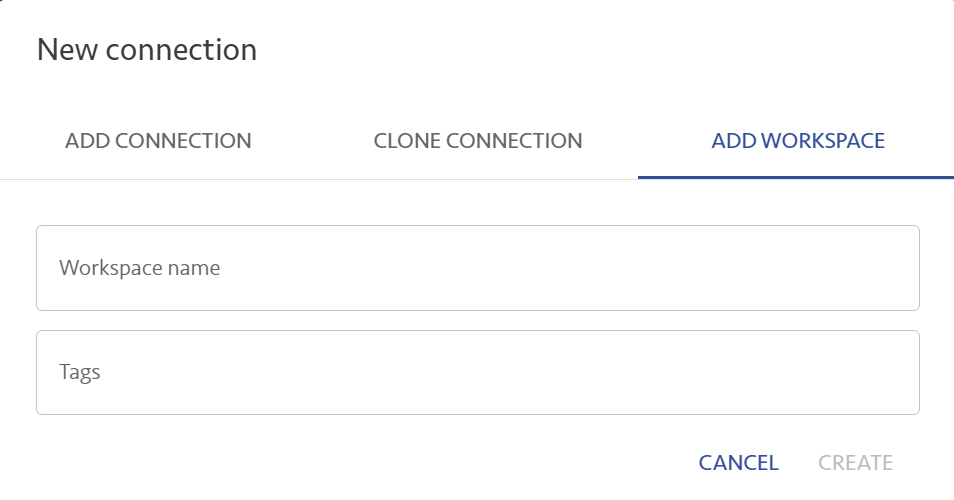
- In iLangL, you set up an integration configuration to BeLazy under the workspace. The configuration setup will generate a webhook that you need to set up in BeLazy. You need to use the configuration in a service.
- In BeLazy, you create a new webhook from the profile menu / Webhooks, and copy-paste the webhook information from iLangL and select the Project closed in BMS, Opportunity dismissed and Project dismissed webhooks. Keep in mind that a request header is needed.
- From this moment onwards, you can create your first translation task from the CMS through iLangL. When the task arrives, in BeLazy, you need to configure the newly appeared workspace similarly to the configuration of any other connection.
Functionality supported:
- Receiving and delivering all translations from any CMS integration is supported.
- The system works with webhooks, thus most of the communication between systems in the chain happens in seconds.
Functionality not supported:
- For the time being, only single-language translation tasks are supported.
Additional information:
iLangL and BeLazy are partners, so if you need support with the integrations they support and a single contact, you can contact BeLazy and we will coordinate with iLangL on your behalf.