
BeLazy offers a CRM integration framework that provides two directions of integrations between the CRM system and the Business Management System. This integration only works with Plunet and XTRF, and is not available in standalone mode.
The integration is circular:
1. New customers and contact persons are created in the CRM, and moved to the BMS
2. New quotes created in the BMS are moved as deals into the CRM
Setup
The first step is to set up the credentials on the Credentials tab. Here you need to enter the same BMS API details as in Manage my business management system. For Hubspot you need an access token, which the on-screen instructions explain how to get.
Mapping
There are two integrations, thus two mapping pages. First, set up the Company mapping. The first thing to set up is whether you allow similar names to be detected, or only identical names.
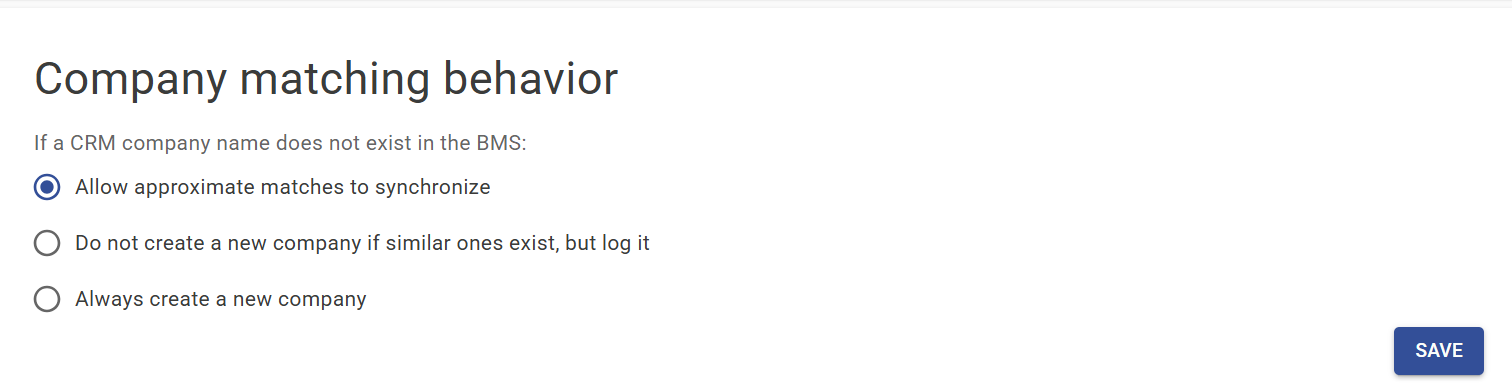 When you start out, probably your CRM and your business management system has discrepancies, and this can help decrease the problems arising from that. We recognize that you use the initial synchronizations to unify the names in the two systems. The logs will tell you the discrepancies.
Next, map the different fields. The HubSpot extracted field names are visible on the left, and you map these to the BMS. Besides the fields, for list-type fields such as account manager or country, you can also map values to each other. Pay attention to the Country: same as original requires a harmonized list of country names, but different country descriptions may exist, and can be addressed one by one.
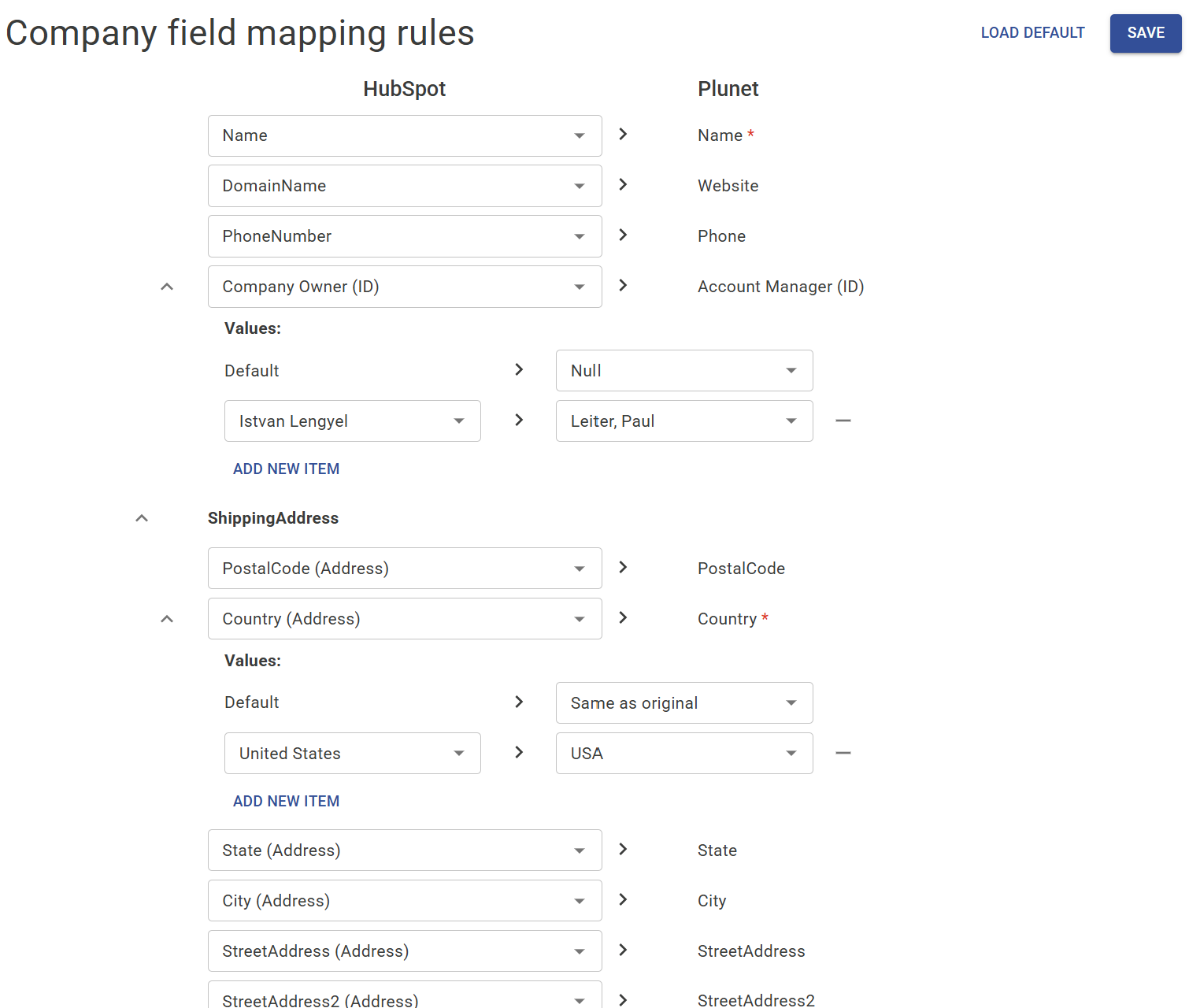
Once Company mapping is set up and saved, go into Quote mapping.
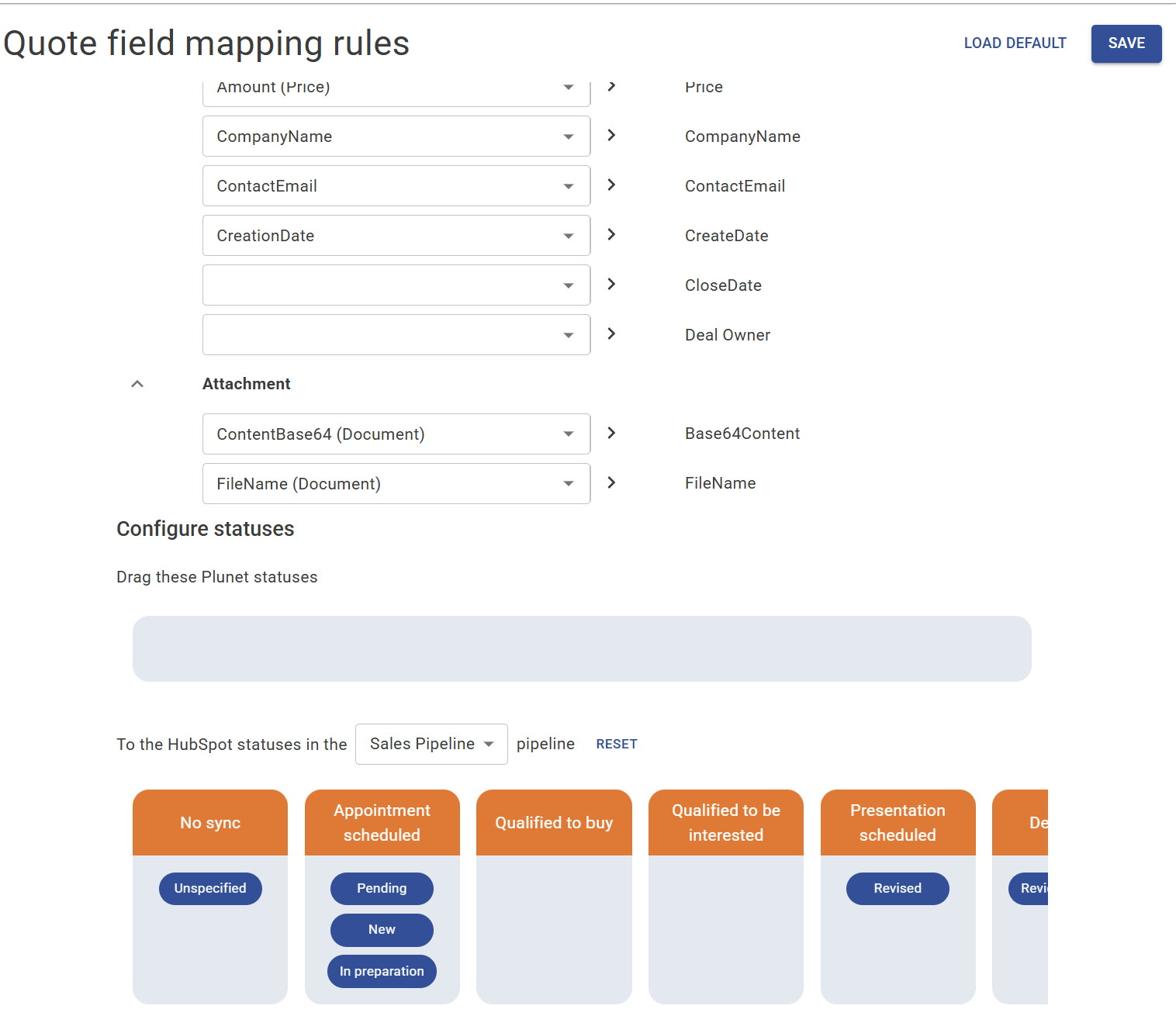
Here besides field mapping you also map statuses between the CRM's pipelines and the BMS statuses. Select a CRM pipeline that you would like to fill, and drag and drop the CRM statuses to these boxes. When a quote becomes a certain status in the BMS, its status in the CRM will automatically change to the selected deal stage.
Filtering
Similarly to mapping, there are two filtering pages. One filters the companies that should go into the BMS, and the other filters the quotes.
Typically you don't want every CRM company to move into the BMS, only those that are at a stage where at least a quote is requested. You can set up the filtering to these statuses.
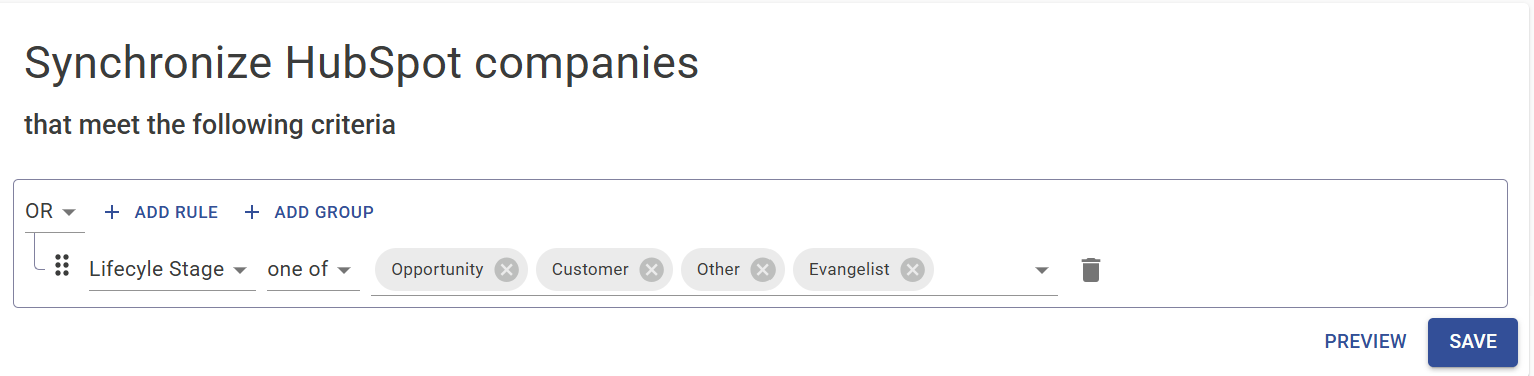
In the case of the BMS to CRM quote synchronization, you probably do not want to synchronize quotes under preparation - though you may. Or you may only synchronize newer ones, with a rule like this. The logic works the exact same way:
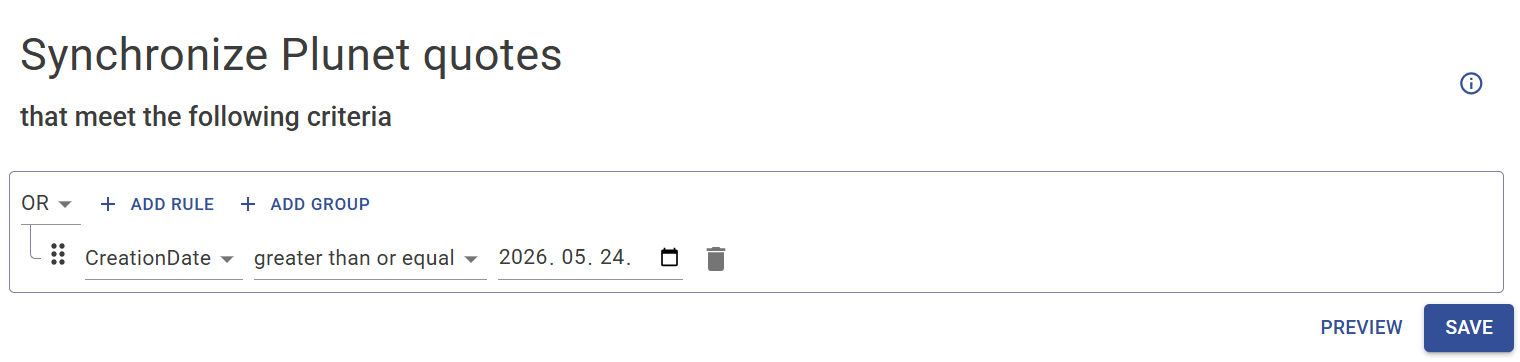
Preview shows what records would be synchronized, without actually synchronizing and writing into the target system.
Sync
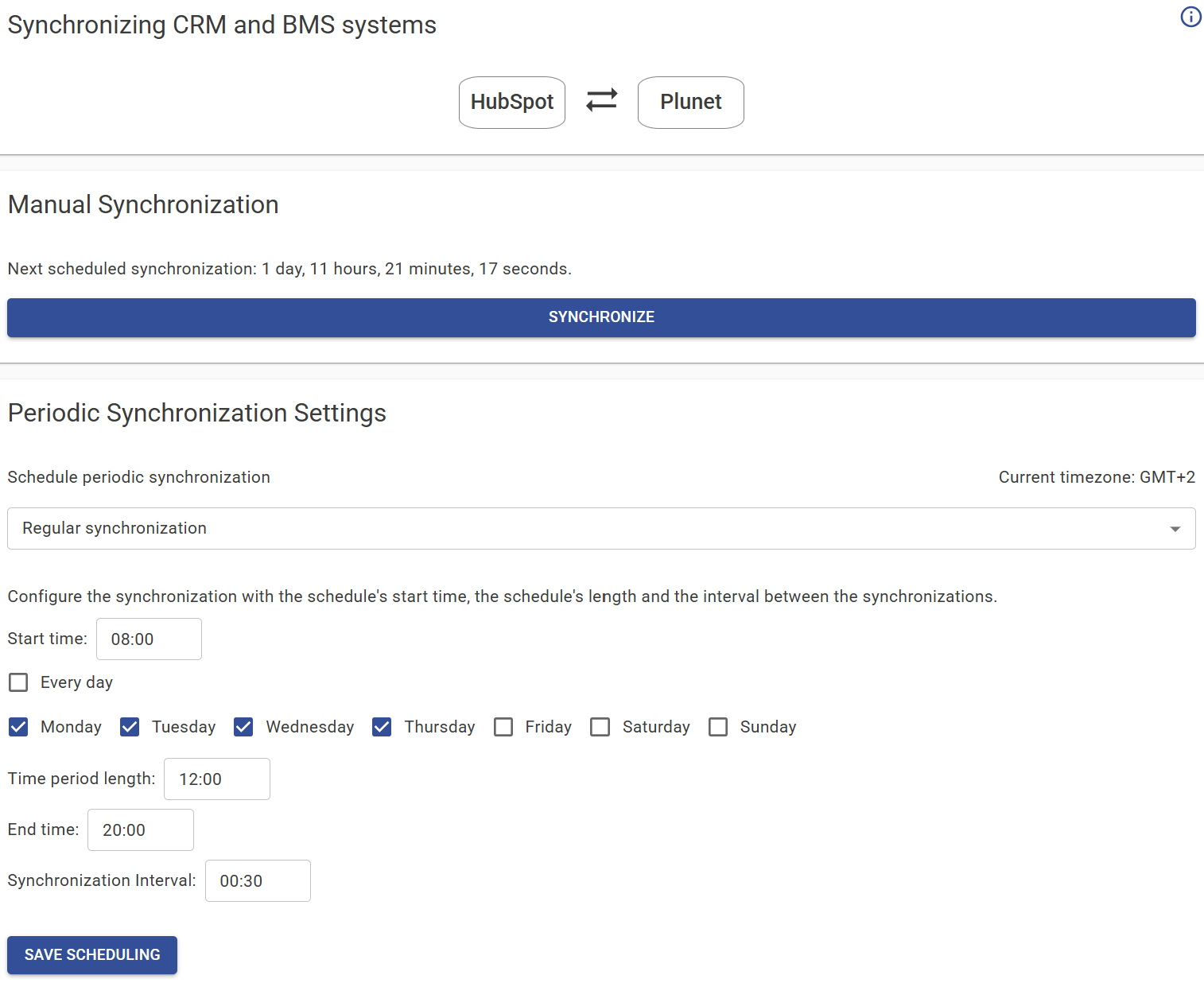
When mapping and filtering are set up, set up the rules for synchronization. You can synchronize manually, you can disable synchronization, or set up either specific times or a regular schedule, taking into account the days of the week.
Sync
When mapping and filtering are set up, set up the rules for synchronization. You can synchronize manually, you can disable synchronization, or set up either specific times or a regular schedule, taking into account the days of the week.
Audit logs
Every synchronization is logged as two synchronizations, one customer and one quote sync. The audit log gives a talkative description of all the records that were not synchronized due to some clashes, and explains the results of each synchronization.