
Every now and then BeLazy offers new functionality for XTRF which is not possible using only the XTRF APIs. XTRF offers a mechanism called Groovy macros which allows direct access to XTRF's database. BeLazy works with a single macro. When you install BeLazy, you install the macro as well, which gets registered in BeLazy by its number.
If we request an XTRF macro update, you will receive a notification in BeLazy to update the macro. The notification itself has a link to copy the macro text, and another link to open the XTRF macro URL. Open the URL, click on Edit in XTRF to be able to modify the macro code, then copy the macro, and simply replace the existing macro code with the new one (ctrl+A, ctrl+V in the macro code window). There is no need to change anything else but the macro text.
If for some reason the notification is not available (for example, you dismissed it by mistake), open the following URL after logging in to BeLazy:
https://app.belazy.cat/configure-bms
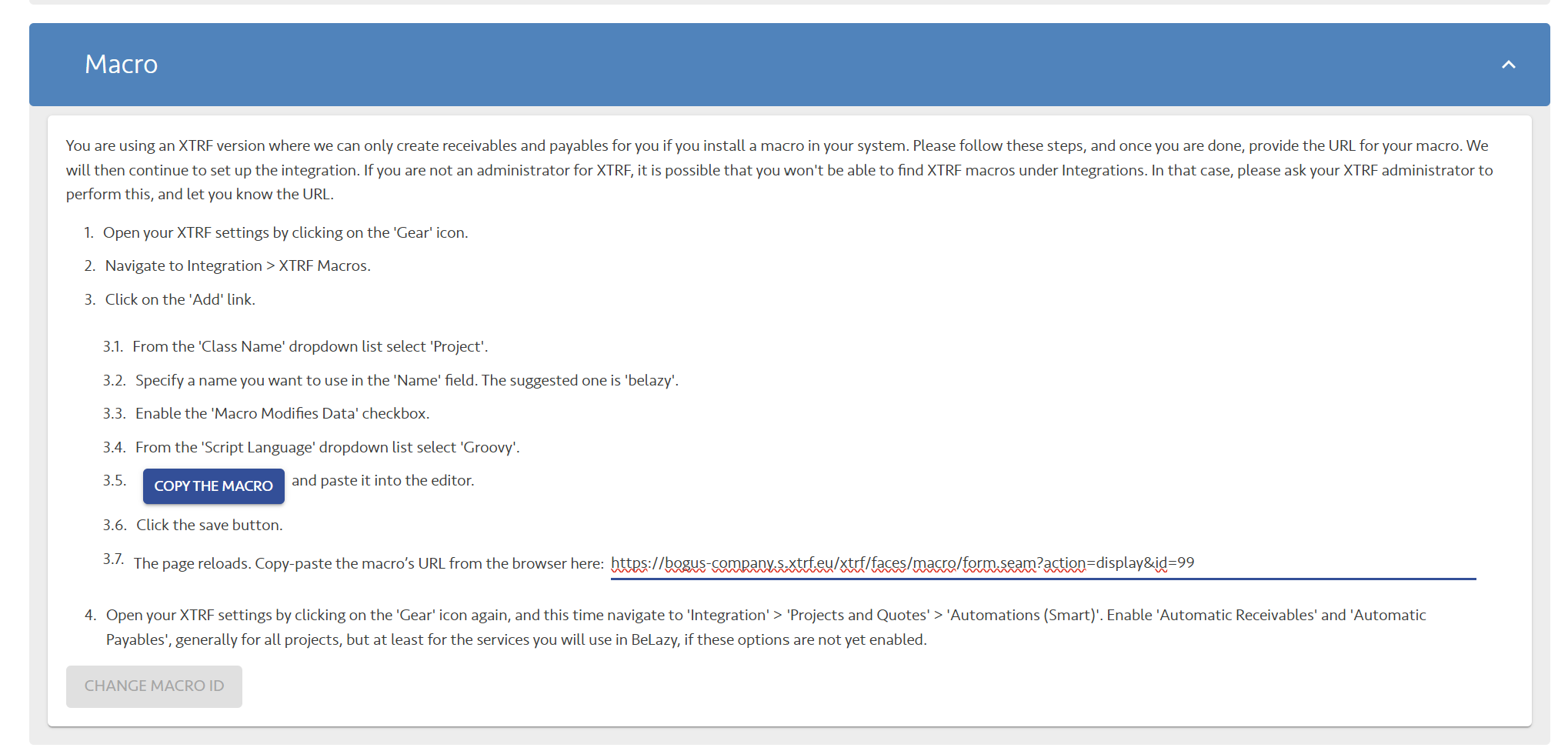
Go to macros, and copy the URL under step 3.7, and open it in your browser. Click on the Copy the macro button under 3.5,
In XTRF, click Edit at the bottom of the page, and change the code in the Expression field, then at the bottom of the page click Save and Exit.
When updating macros, you should never install a new macro. Also, if you receive a notification that says the macro is not installed, and you need to update / install it, if your macro ever worked before, this is a temporary issue with XTRF - for some reason (mostly due to firewall issues) BeLazy is not able to read the macro. Give it an hour before reporting the issue to BeLazy.
If you experience any trouble, make sure the options Macro generates output and Macro modifies model data are both activated, and that the macro is active.