
Conceptual overview
Every TMS integration in BeLazy, regardless of the direction - whether the project originally arrived in a TMS or it was created by BeLazy in the TMS -, supports linear workflows: every TMS project is a set of consecutive workflow steps, like translation, review, etc. Almost every TMS supports the export of bilingual content and the import of bilingual content, and BeLazy binds one TMS step to one or more business management steps.
The AI Hub APIs are implementing exactly this workflow. Use the AI Hub APIs if you built an external AI-based text processing engine.
Inbound direction
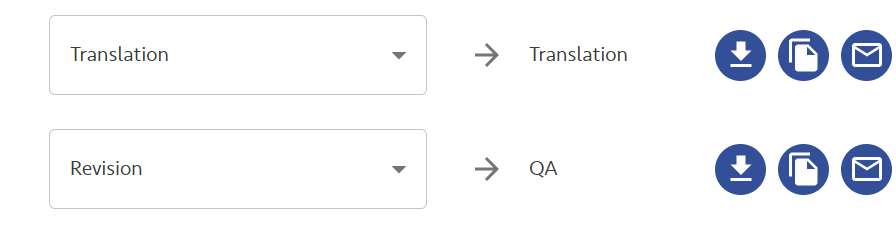
If you are receiving a TMS project from the Content and Project Hub, i.e. the project is already prepared in a TMS, first you need to make sure that the first three icons in the workflow mapping are enabled for the workflow steps that you plan to process automatically. The first icon downloads the XLIFF file at the start of the step, while the second and the third allow closing the TMS step after uploading the changed XLIFF.
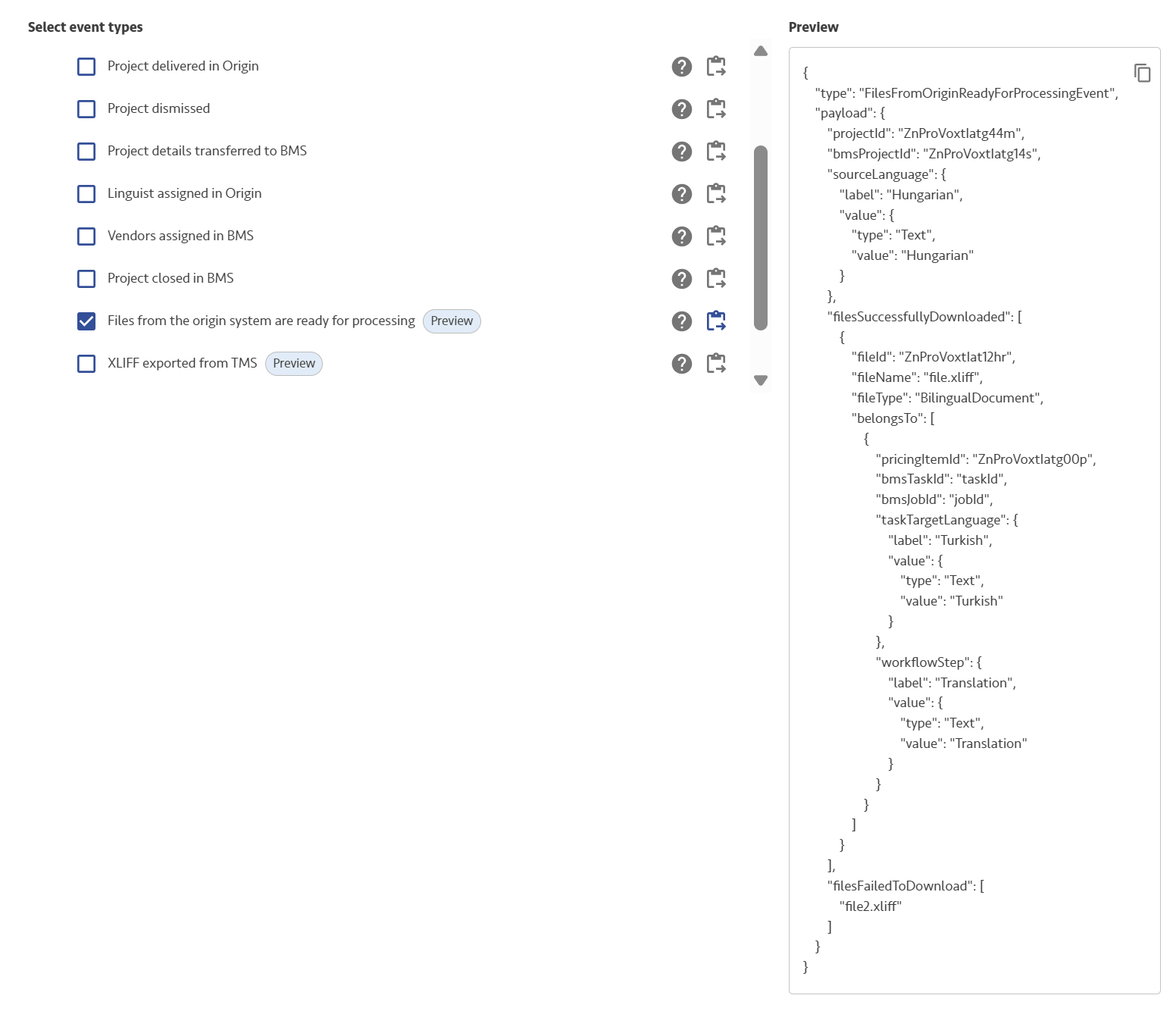
The webhook you need to enable to learn when the project arrives is Files from the origin system are ready for processing:
And the sequence of the steps is:
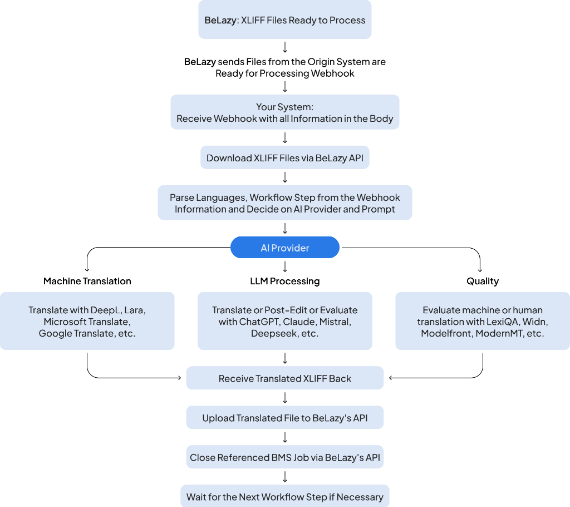
In this scenario, BeLazy imports the files into the TMS project once the BMS job is closed.
Outbound direction
When BeLazy creates the TMS project, XLIFFs are automatically exported at every workflow step. There is no need to activate anything else but the TMS workflow mapping - it works in every single setup.
The webhook you need to enable to learn when the project arrives is XLIFF exported from TMS:
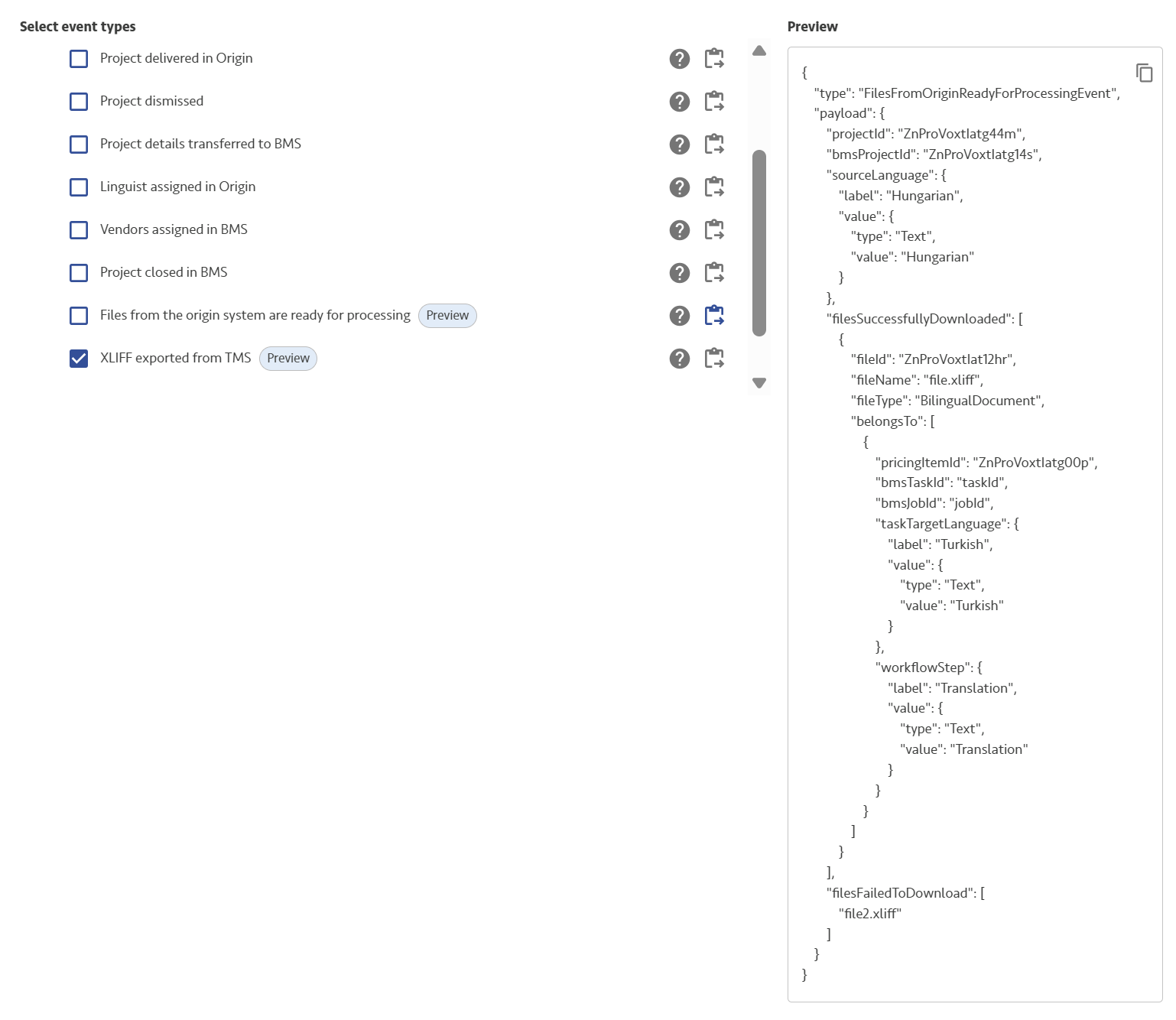
The logic of the calls is very similar to the previous logic, with the exception that the download endpoint is different - you need to download the files from under the TMS files:
GET /projects/v1/{projectId}/tms-files/{fileId}/download.
Whereas after uploading the file similarly as before, you need to register the file for TMS import:
PUT /projects/v1/{projectId}/import-xliff-into-tms/{newFileId}
BeLazy runs the import asynchronously, so you don't have to wait until closing the job. That said, when you are done with the automated jobs, just close it the same way as in the inbound scenario.